Questions. They’re the crux of ethical AI. When it comes to disability and AI, though, we seem to stop asking questions. Specifically, of outputs.

Description by Claude Sonnet 4.6: A young East Asian woman in a silver futuristic suit and AR glasses stands in a high-tech convention hall, her hands raised as holographic projections of hand signs float in the air before her. Behind her, other attendees mingle near glowing display panels and cherry blossom trees. A small humanoid robot stands nearby. A neon banner reads "Future Design Summit 2050 – Innovation Beyond Barriers."
In Notebook LM, we accept that anything that mentions disability comes with the blue wheelchair icon. (Something I like to call: low-key bias.) It’s the same when anything legal comes with a white, male judge icon. Sure, we can change to a more suitable icon, but why does the default require the user to solve the problem? When we prompt for disability in any Gen AI image tool (From Firefly to Flux), the default is a wheelchair user, usually male or white, and we ignore the rest of the world, humans with apparent and non-apparent disabilities, and any intersections they may exist in. So, it’s left to the user, again, to figure out the problem of what to do with the default.
Now, white male wheelchair users are not the enemy here. (Hi to friends reading.) They aren’t even the statistical average. They are, however, the issue of labeling and how LLMs and LIMs understand disability. Non-disabled = no wheelchair. Disabled = wheelchair. And that’s that.
The problem is, disability isn’t a monolith. It’s a fragment of a big human whole of human experience. Disability may be physical, sensory, cognitive, or about one’s mental health. And these fragments are hard to come by in generic prompts without getting really granular. Truth is, this makes many users uncomfortable. We can easily write a full-paragraph prompt outlining the kind of sci-fi scene we want to see, but when it comes to describing people, we want the LLM to handle that for us. We don’t want to type the words.
The awesome Lawrence Carter Long, Director of Engagement for ReelAbilities International, launched a campaign in 2016 called #SayTheWord.
“If you ‘see the person not the disability,” you’re only getting half the picture. Broaden your perspective. You might be surprised by everything you’ve missed. DISABLED. #SayTheWord’ (Facebook, 2016).
And while it’s still a used hashtag, it takes on a larger meaning in the world of AI. Dare I say that in today’s terms it might be: #PromptTheWord.
Say you’re working on a concept for a media campaign and you want the casting to be representative. Go ahead and prompt for various types of disabilities. You’re going to get a lot of wheelchair user images, that’s not going to change, and it’s okay. But if you dig deeper, you’ll also find assistive devices like canes, hearing aids, loops, spinners, or headphones can enter your scene. Cues that are inclusive of other disabilities or express neurodiversity. While the LLM is going to default to a monolithic view of disability, you have the power to prompt something wider and more representative.
But there’s always a twist.
LLMs and LIMs have been reversely trained in some instances not to discriminate, so they actually won’t take certain words or descriptions when it comes to disability. This is good. (But only kinda.) If we continue to default to the shared image that society has of disability, even at the prompt level, we’re perpetuating that monolithic view. So, push the LLM to do better and even challenge your own vision of who might show up in the outputs.
If you’re trying to create an image of a person at a conference, try to change up your prompt and say: “person with a disability at a conference,” and start assessing what you get.
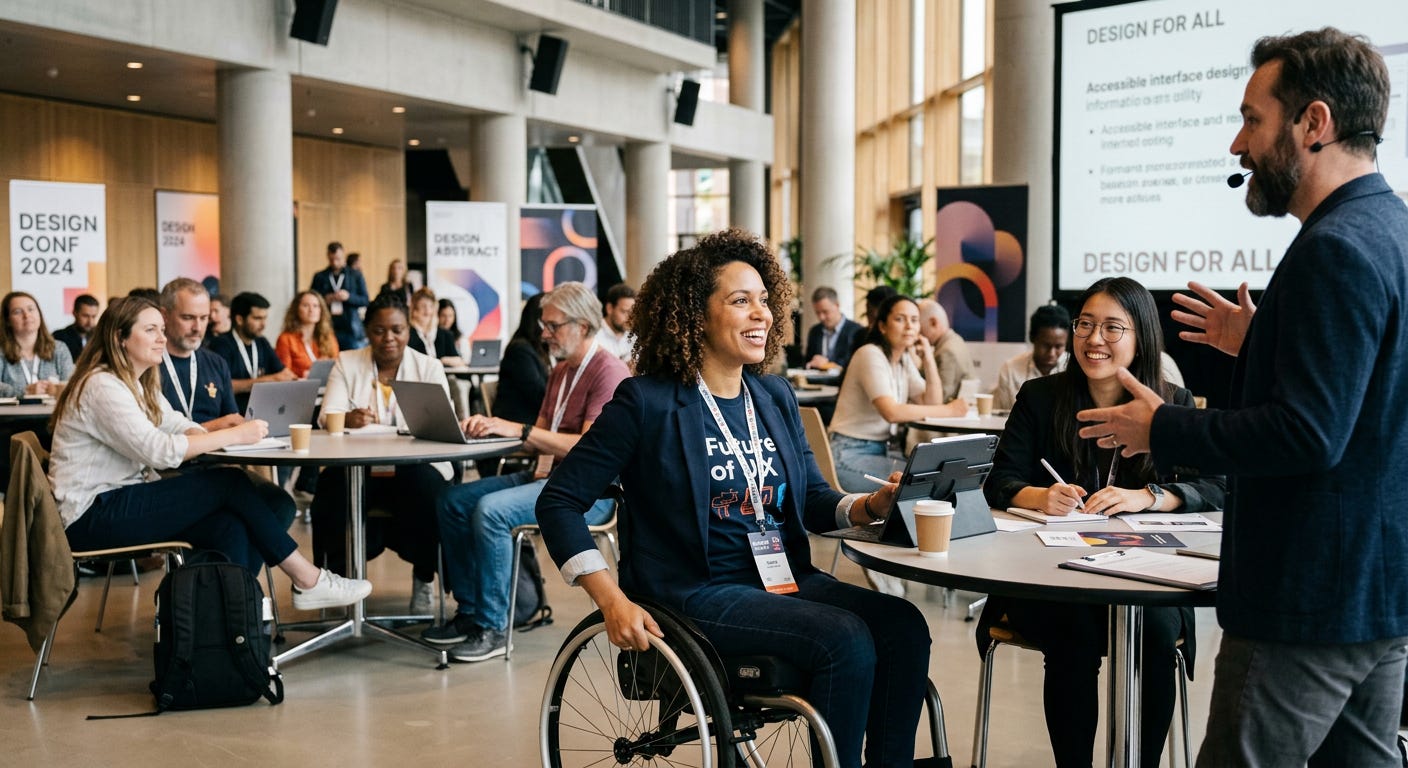
Description by Claude Sonnet 4.6 A Black woman using a manual wheelchair sits near the front of a bright, modern conference hall, smiling broadly as she engages with a bearded male speaker wearing a headset mic. She wears a navy blazer over a "Future of UX" t-shirt and a conference lanyard. Behind her, a racially diverse group of attendees works at round tables with laptops and tablets. A screen to the right displays a slide titled "Design For All." Roll-up banners read "Design Conf 2024" and "Design Abstract."
Did you get a person using a wheelchair? That’s okay. What kind of wheelchair? Sometimes, stock photography uses hospital wheelchairs to depict non-disabled people as wheelchair users. (Yep, that is indeed super messed up.) Can you prompt again and see if you get a different representation of disability? And another. Or another. We can’t just accept one single output as fact. We have to push the LLM to deliver better.
In current AI-land, this work is going to be up to you to determine what kind of output it is. If someone in your output is wearing a nametag that says “Deaf” on it, I’m not so sure that is going to cut it. If someone is signing to another person at a conference, well then, we’re on the way. Give the output you like a thumbs up, and “train” the model to recognize what’s good in the image. It may do better next time.
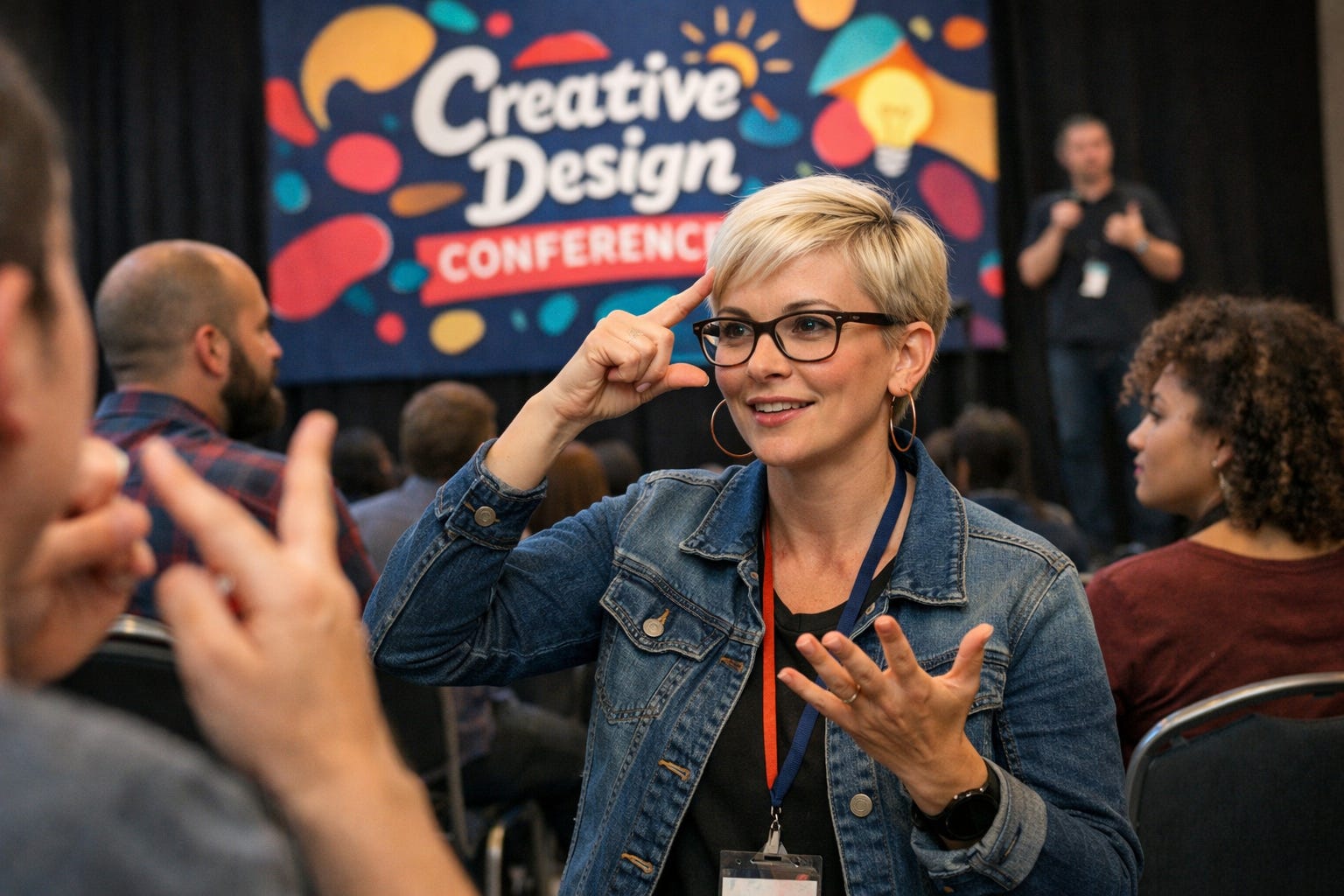
Description by Claude Sonnet 4.6: A white woman with short blonde hair and glasses signs expressively to someone whose hands are visible in the foreground. She wears a denim jacket and a conference lanyard. Behind her, a colorful "Creative Design Conference" banner is visible, and in the background a man on stage appears to be signing — likely an interpreter for the main session.
Okay, but real talk here. The ideal world would be one where we DON’T have to do this or even use the word disability. But because there’s a disability data gap in general and LLMs are based on the real world of ableist inputs and stock photography, this is the reality if we want to “de-able-ize” AI and get to real representation. (Okay, not real-real, but AI-real. You get what I mean.) And when prompting, LLMs are going to do better (for now) with exact words instead of things like “A person who uses an assistive device” or “A person who uses hearing aids” so including identities like Deaf or Hard of Hearing is going help you get better outputs.
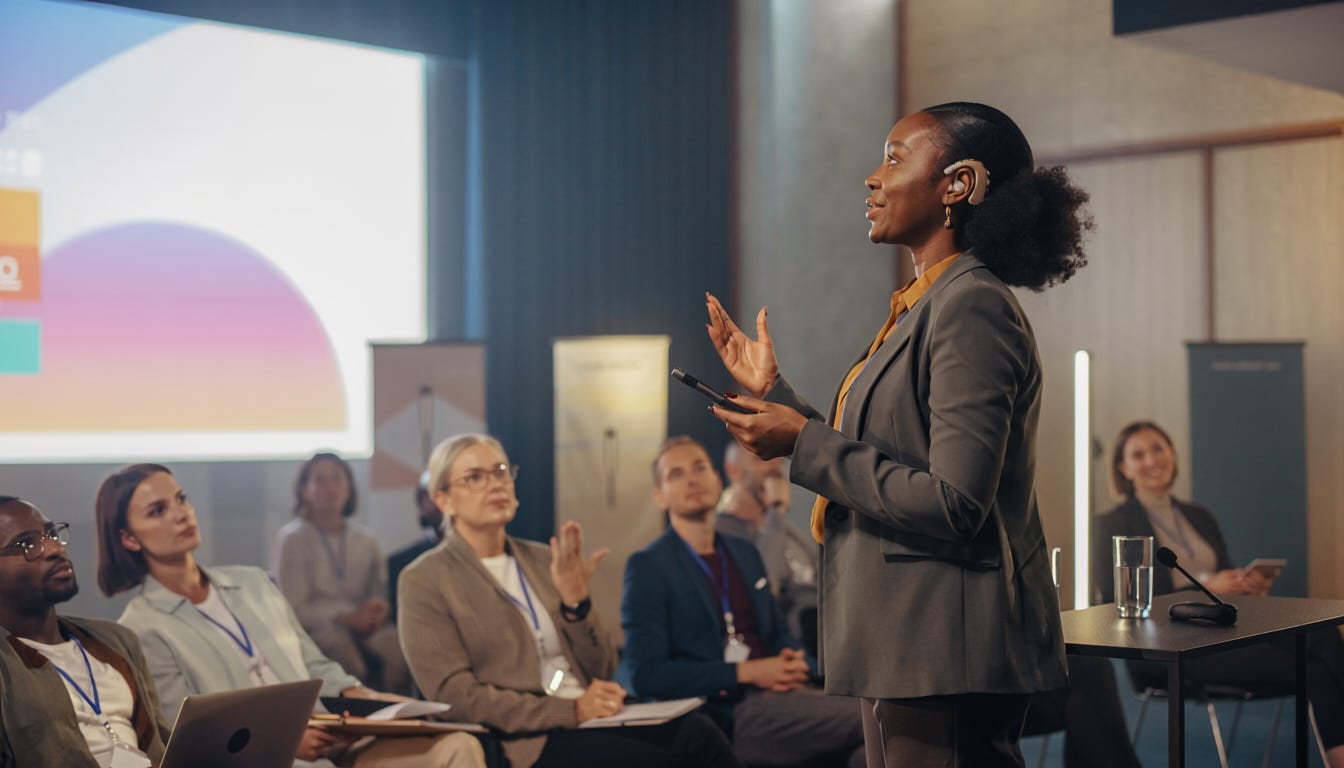
Image description by Claude Sonnet 4.6: A Black woman stands at the front of a conference room, mid-gesture, holding a stylus. A behind-the-ear hearing aid is visible on her right ear. She wears a grey blazer over a mustard top. Behind her, a colorful slide is projected on screen. A diverse audience of roughly a dozen people watches attentively; several hold notebooks or laptops.
After all this explanation, you may still ask: Why are we even talking about this? Well, the fact is that AI is here. We’re living in it. And as more and more people use it in new ways (like to generate images for a variety of uses (articles, campaigns, emails, marketing, flyers, storyboards, even movies), the more opportunity we have to rebalance the internet’s vision of disability that fed these models and create a less ableist tool with more representative outputs.
This isn’t the end of the story, though. It’s only question one we can ask of AI. So if you can answer “yes” to the question on this card, it might be time to re-prompt your idea of disability.